
What do you use today instead of Zen Mode (https://zenmode.app) (a competitor, a spreadsheet, doing it by hand)? Compared with that, what would make Zen Mode better or worse for you, and what would keep you on your current option? Also say the maximum you would pay per month in USD (0 if nothing).
10 fictional AI personas. Exploratory perspectives, not a survey of real customers. Methodology & limitations
Simulated interest
AI synthesis, not measured demand
Suggested price range
Median $5 · simulated willingness to pay
Response sentiment
What this panel suggests
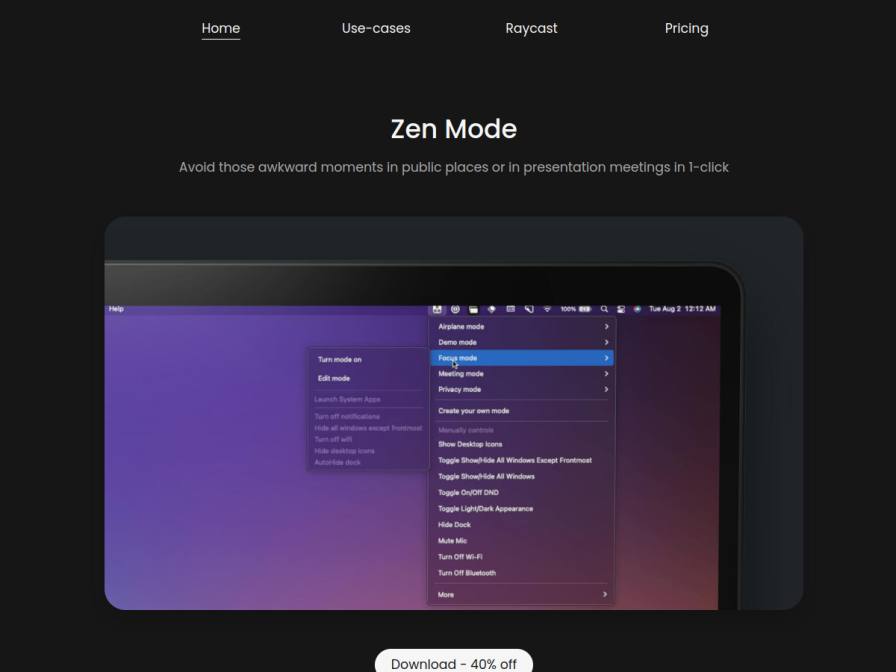
Respondents mostly use manual or built-in macOS workflows today, especially Apple Focus modes, Notes checklists, and keyboard shortcuts. Zen Mode’s strongest appeal is not a totally new job, but making those routines a one-click action that hides desktop clutter and keeps only the frontmost window visible during presentations or public use. That makes it feel like a convenience and error-prevention tool rather than a must-have replacement. The main reason to switch is saving time and avoiding embarrassing mistakes; the main reason to stay with current tools is that they are free, familiar, and already good enough for basic prep. A clear pain point is pricing confusion: even though the product page mentions lifetime updates and one-time purchase language, several answers still ask whether it is a subscription. That suggests the offer may need clearer messaging more than more features. Among those who answered, willingness to pay is modest, with a median around $5/month and a range from $3 to $10, but the product appears more naturally suited to a simple one-time license than a recurring plan.
Pricing & positioning
Lean into a simple one-time purchase story for macOS users who want a faster version of existing Focus/shortcut routines. If you keep a subscription, you’ll likely need a strong ongoing-value justification because the current answers read more like utility software than a recurring-service need.
Among respondents who gave a number, willingness to pay clusters around a small monthly amount (median $5/month, range $3–$10). The bigger friction is not just price; it is uncertainty about whether the app is a subscription or a lifetime license. Clear, consistent pricing copy would likely help more than discounting alone.
Recurring themes
“Right now, I use Apple's built-in Focus modes and a basic checklist in Notes to prepare for demos.”Read Bradford Dickinson’s response →
“Zen Mode's ability to hide desktop icons and all windows except the frontmost one is appealing, especially for presentation scenarios to avoid accidental reveals.”Read Bradford Dickinson’s response →
“The pricing structure is a bit unclear; it mentions a one-time purchase for lifetime updates at $9.99 or $7.99 for a single license, but also a $15 price with a 40% discount.”Read Bernd Green’s response →
Objections to investigate
- Reliability vs. current setup
- Pricing model clarity (subscription vs. lifetime)
- Integration complexity
Use these findings to plan customer interviews or experiments. How to interpret AI research
What the panel said
Click a name to open that persona’s full profile.
Bradford DickinsonneutralRight now, I use Apple's built-in Focus modes and a basic checklist in Notes to prepare for demos. Zen Mode's ability to hide desktop icons and all windows except the frontmost one is appealing, especially for presentation scenarios to avoid accidental reveals. The integration with Shortcuts is also a plus. The main thing that would make it better than my current setup is a more streamlined, single-click activation for specific presentation or demo modes that I can trigger quickly. What would keep me on my current option is if Zen Mode didn't offer a significant improvement in reliability or speed compared to what I have. I'd be willing to pay around $5 per month for this kind of utility.
Simulated interest: 50/100
Rosemarie ZiemannpositiveCurrently, I use Muzzle and macOS's built-in Focus modes to manage distractions when sharing my screen. The key functionality I need is to quickly hide notifications and potentially other applications so they aren't accidentally displayed. Zen Mode's promise of a one-click solution is appealing, especially if it integrates well with Raycast, as I'm already a heavy user. If it reliably blocks my Slack and email notifications without any fuss, that would be a significant improvement over my current setup. The lifetime deal for $9.99 seems reasonable for that level of convenience, so I would consider paying that amount.
Simulated interest: 70/100
Bernd GreenneutralCurrently, I manage notifications and application visibility manually using a checklist in Apple Notes and keyboard shortcuts before demos. It's a process I've refined over time. Zen Mode's appeal lies in its potential to automate this. If it reliably hides all sensitive applications and mutes notifications with a single click, that would be a significant improvement. However, I would need to be convinced it's more robust than my current system, especially regarding potential conflicts or unforeseen issues during critical moments. The pricing structure is a bit unclear; it mentions a one-time purchase for lifetime updates at $9.99 or $7.99 for a single license, but also a $15 price with a 40% discount. I would consider paying up to $10 per year for such a tool, but a one-time purchase feels more aligned with my preference for stable, long-term solutions.
Simulated interest: 50/100
Pleun KramerneutralCurrently, I manage my presentation environment manually. Before a client call, I close all unnecessary applications and ensure my desktop is clean. Sometimes I use a simple spreadsheet to track which applications are open for specific client types. Zen Mode sounds appealing because it automates this process, which would save me time and prevent those embarrassing moments of accidentally showing the wrong window. The ability to create custom modes is particularly interesting. However, I'd need to see how seamlessly it integrates with my workflow and if it truly eliminates the need for manual checks. The pricing is a bit unclear; is it a one-time purchase or a subscription? If it's a one-time purchase, I might consider $10.
Simulated interest: 40/100
Chitraksh ChaturvedineutralCurrently, I rely on macOS's Do Not Disturb feature, separate browser profiles, and a simple checklist in my Calendar notes to manage my workflow. I find these free tools sufficient for my needs, though it does require manual oversight. Zen Mode's promise of one-click control for presentation or focus modes is interesting, especially hiding desktop icons and other windows, which could streamline my demo calls. However, I'm hesitant to pay for another subscription, especially since my current system works, albeit manually. The pricing isn't immediately clear if it's a one-time purchase or monthly. If it's a one-time purchase, I might consider it, but monthly subscriptions are harder to justify for tools I don't see as absolutely essential right now.
Simulated interest: 30/100
Marilyn NaderneutralI currently use Muzzle to mute notifications during critical moments, like demos, and also a shared Google Sheet for pre-call checklists. Zen Mode sounds like it could automate some of the manual toggling I do, and the "Presentation Mode" use-case is certainly relevant. However, I'm skeptical of anything that adds complexity. My current setup works, albeit manually. To be better, Zen Mode would need to prove it saves me significant time and integrates seamlessly without any hiccups. The pricing is a bit unclear, "Pay once and get lifetime free updates" for $9.99 sounds reasonable, but then there's a "Black Friday Sale - 45% off on $15" for $7.99. I'd need to understand if it's a one-time purchase or a subscription. If it's a one-time purchase, I might consider $10.
Simulated interest: 40/100
Sylvain CharpentierneutralCurrently, I manage my presentation environment manually. Before a session, I meticulously close unnecessary applications and ensure my desktop is clean. Zen Mode's promise of a one-click solution for presentation readiness is appealing, especially for avoiding accidental window reveals. The ability to customize modes for different scenarios, like a 'Focus Mode' or 'Presentation Mode,' is very interesting. However, I'd need to see how seamlessly it integrates with my workflow and if it truly saves me more time than my current method. The pricing structure is a bit unclear; I see mentions of a Black Friday Sale with a $7.99 price for a single license, but also a $9.99 price. I'd prefer a clear monthly or annual subscription. I would be willing to pay up to $5 per month for such a tool if it proves indispensable.
Simulated interest: 60/100
Diana WhitepositiveCurrently, I don't use anything specific for this. I manage my presentation environment by carefully closing applications before a training session. The main benefit of Zen Mode would be the convenience of a one-click solution to hide distracting elements. What would make it worse is if it were overly complicated to set up or customize for different training scenarios. I'd also be concerned about potential conflicts with my Mac's operating system. Given that my focus is on efficient training delivery, I'd consider paying up to $5 per month for this kind of utility.
Simulated interest: 60/100
Delbert GradyneutralCurrently, I use the built-in Focus modes on my MacBook. I also manually close unnecessary windows before presentations, which can be a bit time-consuming. Zen Mode's one-click approach to instantly clean up my workspace sounds appealing, especially the idea of avoiding accidental app sharing during calls. The "Hide All Windows Except Frontmost" feature is particularly interesting. However, I'd need to see how well it integrates with my existing workflow and if it truly saves me time compared to my current manual process. I'm hesitant about adding another subscription, given my savings goals. I would be willing to pay up to $3 per month, but only if it demonstrably streamlines my client prep.
Simulated interest: 40/100
Shubhaprada TandonpositiveCurrently, I don't use a specific tool for this, but I do rely on my Notion checklists to manage various modes of operation for client calls. I'll manually adjust my settings or quickly switch applications to present a clean desktop. If Zen Mode could reliably do this in one click, especially with its Raycast integration, it would save me valuable time during those crucial client demos. The ability to quickly switch to a 'Presentation Mode' that hides everything but the essential app would be incredibly useful. I would consider paying around $5 per month for this, as it aligns with my need for efficiency and streamlined workflows.
Simulated interest: 70/100
Keep exploring.
Find your next question or see which topics divide AI panels.
What would you ask next?
Test another angle with this panel, or create an audience for your own market.