
Looking at SVG to 3D (https://www.svgto3d.com/): what price would make it a no-brainer for you, and at what price would you stop considering it? What would you expect to get for that money? Also say the maximum you would pay per month in USD (0 if nothing).
Page reviewed
SVG to 3D Converter - Transform Your 2D Designs to 3D Models
https://www.svgto3d.com/ (opens in a new tab)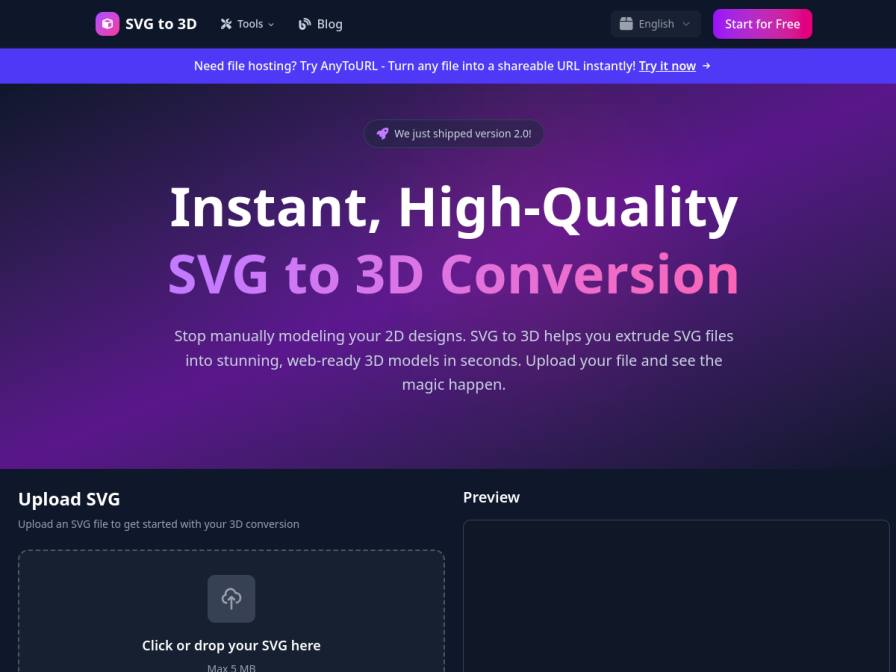
10 fictional AI personas. Exploratory perspectives, not a survey of real customers. Methodology & limitations
Simulated interest
AI synthesis, not measured demand
Suggested price range
Median $17.5 · simulated willingness to pay
Response sentiment
What this panel suggests
The synthetic audience shows moderate interest in SVG to 3D, mainly because it promises a fast, browser-based way to avoid manual extrusion work in tools like Blender. Price answers, from a small subset that gave them, cluster around a clear “no-brainer” zone in the low-to-mid teens per month, with a practical stop point around $30/month. That aligns with the supplied aggregate WTP stats (low $5, median $17.5, high $30). What respondents expect at those prices is not basic conversion alone, but time-saving pro functionality: batch processing, stronger bevel/thickness controls, realistic materials and lighting, and clean export quality for GLB/STL workflows. A notable issue is pricing clarity: the page says the tool is “completely free,” while the launch blurb references a monthly subscription, so some reactions likely reflect uncertainty about whether paid tiers exist or what they include. Overall sentiment is positive with some neutral caution; the main question is ROI versus free or manual alternatives, not rejection of the concept.
Pricing & positioning
If you monetize, test a freemium or pro tier around $9-$15/month, with a practical ceiling near $30/month for self-serve users.
The small pricing sample (n=4) points to a no-brainer zone below or around the mid-teens and a stop zone around $30. Expected value is tied to workflow speed, batch processing, advanced bevel/thickness/material controls, realistic lighting/PBR, and clean GLB/STL exports. Clarify pricing carefully: the page says the tool is free, while the launch blurb references a monthly subscription.
Recurring themes
“The fact that this tool is free to use is a huge plus”Read Felicia Konopelski’s response →
“I'd need to see advanced controls for materials and lighting that significantly speed up my workflow compared to doing it manually in Blender”Read Felicia Konopelski’s response →
“A 'no-brainer' price would probably be around $10-$15 a month”Read Felicia Konopelski’s response →
Objections to investigate
- Confusion Regarding Pricing Model
- Skepticism About Quality vs. Manual Tools
- Budget Constraints for Freelancers/Small Studios
Use these findings to plan customer interviews or experiments. How to interpret AI research
What the panel said
Click a name to open that persona’s full profile.
Felicia KonopelskipositiveThe fact that this tool is free to use is a huge plus, especially since I'm a freelancer and always mindful of my budget. If there were a subscription, I'd need to see advanced controls for materials and lighting that significantly speed up my workflow compared to doing it manually in Blender. A 'no-brainer' price would probably be around $10-$15 a month if it consistently delivered professional-grade results with minimal tweaking. Anything over $30 a month would make me pause and re-evaluate if the time savings justify the cost, given my current income.
Simulated interest: 70/100
Clayton ZiemepositiveHonestly, the fact that it's free to start is a massive draw. If it can genuinely save me the hours I spend wrestling with buggy free converters, especially after that wedding monogram incident, a "no-brainer" would be around £5-£10 a month. For that, I'd expect it to handle complex SVGs without issues and produce clean STL files for my 3D printer and clean GLB files for any laser cutting jobs. Anything over £15 a month feels like too much of a gamble for my current income, especially with the uneven order volumes. I'd need to be absolutely sure it streamlines things enough to justify the recurring cost.
Simulated interest: 75/100
Domenic KastnerneutralThe premise of a subscription model for SVG to 3D conversion is interesting. Given my current workflow in Blender, I'd consider a 'no-brainer' price point around $10-$15 per month. At that level, I'd expect robust features like advanced beveling, PBR material application, and clean, optimized GLB exports, especially for web use. Anything above $25-$30 per month would start to make me question the ROI, particularly if it doesn't offer significant time savings over my existing process. The free tier is definitely a starting point for evaluation.
Simulated interest: 70/100
Gandharva JangidneutralThe product description mentions a free tier and "Start for Free" button, but then also talks about pricing on "Fazier" and monthly subscriptions. This is a bit confusing. If it truly is free with advanced controls for basic use, that's a no-brainer. For a subscription, I'd expect features like batch processing, more advanced material options, and perhaps direct integration with Figma or Blender, beyond what I can already do with some effort. If it saved me significant time on complex assets, I might consider paying around $15-20 per month, but anything more feels steep for a workflow I can manage manually.
Simulated interest: 75/100
Selma de VriespositiveMy studio relies on efficient workflows, and turning SVG floor plans and symbols into 3D studies is a core part of that. If this tool could reliably produce clean GLB files with good material controls, perhaps for around $15 to $25 per month, it would be very appealing. Anything over $40 per month would make me pause and consider if the time saved truly justifies the cost, especially given our studio's pragmatic budget. I'd expect robust material application and reliable export formats.
Simulated interest: 75/100
Matthew FaheypositiveWell, the fact that it's free to start is definitely a plus. I'm always looking for ways to speed up my workflow, especially since I'm doing this on the side. If it consistently spits out clean STL files that I don't have to fiddle with too much before printing, I'd say a price point around $10 a month would be a no-brainer. Anything over $30 a month, though, and I'd probably just stick to testing geometries in free utilities like I do now. I'd expect it to handle complex SVGs well and offer decent control over thickness and bevels for 3D printing. As for monthly costs, $0 seems to be the advertised price for their starter tier, and that's what I'd stick with for now unless I saw a really compelling reason to pay.
Simulated interest: 60/100
Kelly MurrayneutralHonestly, the fact that it's free and runs in the browser is a huge plus, as I'm always looking for ways to streamline my workflow without adding complexity or cost. If there were a paid tier, I'd expect advanced material and lighting controls, perhaps batch processing for multiple icons. A price point around $15-20 per month would be a no-brainer if it consistently delivered high-quality, web-ready GLB files that save me significant time in Blender. Anything over $50 per month would probably make me reconsider, especially if my current Blender workflow is already efficient enough.
Simulated interest: 75/100
Klemens ZielonkapositiveThe idea of instantly converting SVGs to 3D models is very appealing, especially considering my current process of converting logos and labels into 3D parts for mockups. The claim of "instant, high-quality" conversion and fine-tuning details like thickness and bevels is exactly what I need. The ability to export directly to STL for our 3D printer would be a significant time-saver. The fact that it's free initially is good, but for a tool that integrates into my workflow and reliably saves me time, I'd consider paying. A "no-brainer" price would be around $15-20 per month. Anything over $50 per month would start to make me reconsider the value against the time saved compared to my current, albeit clunky, method. For that price, I'd expect consistent, clean STL output, easy control over extrusion depth and bevels, and perhaps batch processing for multiple logos.
Simulated interest: 75/100
Dharitri KapoorpositiveHonestly, the fact that you offer a free version is a huge draw. Given that I've been relying on free tools and manual workarounds, a 'no-brainer' price would be around $5 to $10 per month. For that, I'd expect consistent, high-quality output for both STL for printing and GLB for web, with fewer errors than I'm currently dealing with. I'd stop considering it if it went over $25-$30 per month, as that starts to feel like a significant expense for our small studio, especially when compared to the hours I spend fixing things myself. The maximum I'd consider paying per month is $15 USD.
Simulated interest: 75/100
Stanislas OlivierneutralIt's interesting that this tool claims to convert SVG to 3D instantly and for free. My main concern is the quality of the conversion for 3D printing. While it mentions exporting STL, I'd need to see how clean the geometry is. If it produces good, manifold STLs consistently for simple designs, I might consider a small monthly fee for convenience, perhaps around $5 USD per month. However, given our budget limitations at the makerspace, if it's truly free and produces usable results, that would be the ideal scenario.
Simulated interest: 20/100
Keep exploring.
Find your next question or see which topics divide AI panels.
What would you ask next?
Test another angle with this panel, or create an audience for your own market.