
What would stop you from trying UnderlayX AI (https://www.underlayx.com) this month? Be specific about how you handle this today. Also say the maximum you would pay per month in USD (0 if nothing).
Page reviewed
Text Behind Image, Change Background & Layer Photos Free | UnderlayX
https://www.underlayx.com/ (opens in a new tab)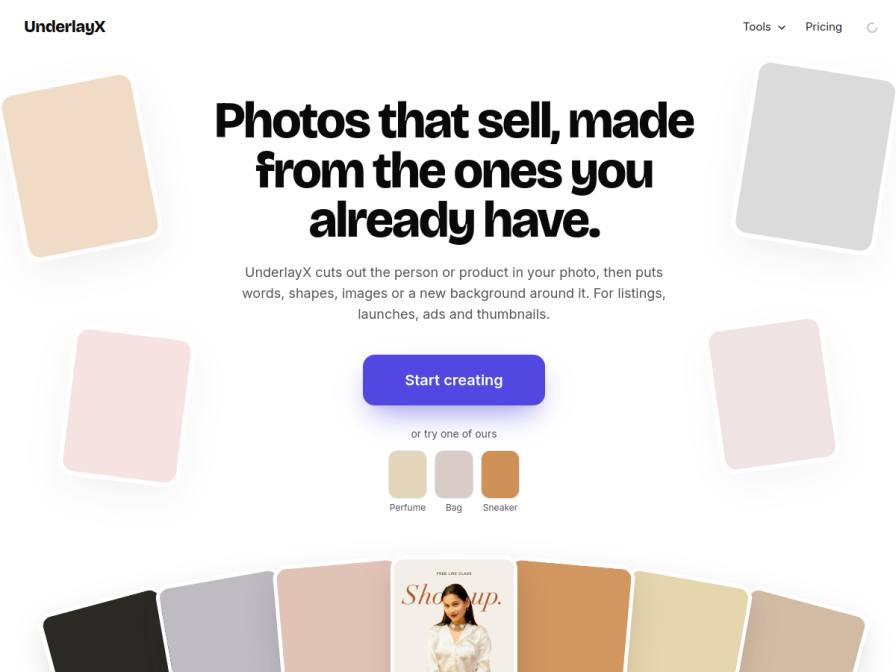
10 fictional AI personas. Exploratory perspectives, not a survey of real customers. Methodology & limitations
Simulated interest
AI synthesis, not measured demand
Suggested price range
Median $4 · simulated willingness to pay
Response sentiment
What this panel suggests
Interest is moderate, but the main barrier is not sticker price; it is whether UnderlayX is worth changing established workflows. Respondents repeatedly frame the decision around time savings, ease of use, and fit with tools they already rely on. Several mention existing options such as Photoshop, Google Drive, Canva, and Snapseed, implying that a new editor must clearly outperform familiar processes before they would switch. A second concern is quality: people want confidence that cut-outs and layering will work on tricky subjects and textures, not just simple product photos. The page’s promise of quick background removal and layering aligns with the use cases mentioned, but respondents still want proof that it is fast, accurate, and easy enough to justify adoption. On willingness to pay, the center is around $4/month, with some openness above that, but one person said $0 due to connectivity concerns. Overall, the feedback suggests a low-friction trial and stronger evidence of workflow value would be the most important follow-up.
Pricing & positioning
Price sensitivity looks moderate: $4/month is within the stated willingness-to-pay center, with some openness up to $10, but there is also at least one zero-pay response tied to connectivity concerns. A light, low-friction trial plus clear proof of time savings would likely matter more than aggressive pricing.
The $4/month plan appears acceptable to some respondents, but it is not a guaranteed conversion point.One respondent indicated $0 because of internet connectivity concerns, which suggests some users may avoid a web-only workflow.Pricing should be framed against the effort saved versus Photoshop/Canva/manual editing, not just as a low-cost novelty.
Recurring themes
“I'd need to see how seamlessly it integrates with my existing workflow.”Read Lucienne Friedenberg’s response →
“I currently rely on Photoshop and Google Drive for my workflow, and I'm always hesitant to introduce new tools that don't play well with my existing ecosystem.”Read Klemens Pietrzyk’s response →
“I'm not sure how accurate the cut-outs would be on textures like knitwear or lace—those are tricky.”Read Cassandra Cattani’s response →
Objections to investigate
- Current Free Alternatives Suffice
- Unclear Time Savings vs. Learning Effort
- Technical Limitations (Internet/Complex Textures)
Use these findings to plan customer interviews or experiments. How to interpret AI research
What the panel said
Click a name to open that persona’s full profile.
Lula HermistonneutralWell, right now I'm using a free phone editor to layer text and graphics onto my listing photos. It's kinda basic, but it gets the job done for what I need. The tricky part is getting it to look really polished without spending a ton of time or money. This UnderlayX AI sounds interesting, especially the 'text behind image' and 'shape behind image' features, because I'm always looking for ways to make my candle photos pop more. However, I'd need to see if it's truly better than what I'm already using for free, and if it can integrate smoothly into my workflow. If it's significantly faster and produces noticeably better results, I might consider paying for it. The Pro plan at $4/month seems pretty reasonable, so I'd be willing to pay up to that amount.
Simulated interest: 60/100
Clayton FunkneutralWhat would stop me? Well, honestly, the biggest hurdle is time and budget. I'm currently trying to master free alternatives and automate tasks manually, so investing in new software is a big stretch. My current workflow involves a lot of manual editing in Canva and Adobe Express, especially for removing backgrounds or cloning products, which takes ages. The idea of a tool that can do that easily is appealing, but I'd need to see a significant, undeniable time-saving benefit to justify the cost. I’d pay a maximum of $4 per month, as advertised, but would first need to thoroughly test the free version to ensure it truly streamlines my process.
Simulated interest: 60/100
Lucienne FriedenbergneutralHonestly, the biggest hurdle for me right now is time. I'm already juggling six clients and trying to perfect my masking skills in my current app. While UnderlayX AI's features sound great, especially the background and text behind image options, I'd need to see how seamlessly it integrates with my existing workflow. I currently use a mix of free apps and a competitor's app, and adding another tool means learning it and potentially duplicating efforts. My focus is on efficiency and creative control, so I'd need assurance this isn't just another thing to manage. The $4/month Pro plan for unlimited photos is definitely appealing, though.
Simulated interest: 60/100
Krishnadas MararneutralMy main concern is time. I spend several hours each day on product photography and image editing using free online tools. While this AI tool sounds promising for background removal and cloning, I would need to see if it can truly replace my current manual process without adding more time to my already packed schedule. If it can do these tasks faster and with good quality, perhaps I could consider it. The pricing of $4/month for unlimited photos seems very reasonable, and I would be willing to pay that if it genuinely saves me time.
Simulated interest: 70/100
Harriet HuelneutralMy main hesitation with trying a new tool right now is simply the time it would take to learn and integrate it. I'm currently managing all our launch graphics and paid social using a combination of Lightroom for photo editing and Canva for graphics, supplemented with phone edits for stories. It's a system that works, albeit with limitations, especially given our tight budget and the need for professional-looking results. I'd need to see a very clear time-saving benefit or a significant leap in quality for specific tasks that I can't achieve now. The $4/month Pro plan for unlimited use sounds appealingly affordable, so I might consider that if it genuinely streamlines my workflow. I'm willing to pay $4 per month.
Simulated interest: 40/100
Klemens PietrzykneutralMy main concern is integration. I currently rely on Photoshop and Google Drive for my workflow, and I'm always hesitant to introduce new tools that don't play well with my existing ecosystem. The thought of manually recreating assets because a new tool can't handle complex layering or requires a significant learning curve is a non-starter. I need something that either seamlessly fits or demonstrably saves enough time to justify the transition. Today, I'd be manually cleaning backgrounds and then placing text using Photoshop, which is time-consuming but reliable. I would pay a maximum of $4 per month for a tool like this if it proved to be efficient and integrated well.
Simulated interest: 40/100
Radha JainneutralThe biggest thing stopping me from trying UnderlayX AI this month is my internet connection. Sometimes it's really slow, especially during peak hours, and I worry it might disrupt the editing process, especially if I'm working on multiple client posts. Right now, I rely on free background removal tools and Google Slides, which work okay, but take more time. The $4/month Pro plan sounds reasonable for unlimited edits, so I might consider that if my internet holds up. The biggest thing stopping me is my internet, so it would be $0 per month until I can verify that it works well with my connection.
Simulated interest: 30/100
Clint KesslerpositiveRight now, the biggest hurdle for me is the time I spend manually masking backgrounds and layering elements. It's a tedious process on my phone, and while I've gotten pretty good at it, it eats into my creative energy. The idea of an AI tool that could speed that up is appealing. My current workaround involves a lot of patience and a free app with limited capabilities, so I'm constantly fighting with background removal and precise layering. I'm willing to pay up to $10 per month for a tool that genuinely streamlines this specific editing bottleneck without a steep learning curve.
Simulated interest: 70/100
Cassandra CattanineutralI'd be honest—this looks useful, but I'm cautious. Right now, I spend hours in Snapseed trying to edit backgrounds by hand. If UnderlayX could cut out garments and add clean backgrounds faster, that would save me time. But I do have concerns. My partner and I divide tasks; he handles the photos, and I edit. If this tool makes it easy enough, I'd want to make sure neither of us feels pushed out of the process. Also, I'm not sure how accurate the cut-outs would be on textures like knitwear or lace—those are tricky. As for paying, €15/month is already pushing it, and I don't know what $4/month buys me. If it's reliable, maybe. My maximum would be $3/month, but I'd need to try the free version first.
Simulated interest: 40/100
Vaishno MalikneutralMy biggest hurdle right now is accurately cloning product angles, especially for jewelry with intricate reflections. I spend hours manually tweaking in Photoshop because existing tools don't capture that detail. While your 'Clone image' tool sounds promising, I'm skeptical if it can replicate the precision I need for gemstones. I'd need to see a demonstration or test it on my own complex product shots before committing. Currently, I handle this by painstakingly cloning in Photoshop, which is very time-consuming. I would consider paying up to $4 per month for the Pro plan, but only if it demonstrably solves my cloning issue without significant learning curve or additional costs.
Simulated interest: 50/100
Keep exploring.
Find your next question or see which topics divide AI panels.
What would you ask next?
Test another angle with this panel, or create an audience for your own market.