
You land on https://pocketbill.readbuddyapp.com/ (PocketBill) for the first time. What's unclear, what makes you leave, and what would make you sign up?
Page reviewed
PocketBill — Local-First Subscription Tracker & Expense App
https://pocketbill.readbuddyapp.com/ (opens in a new tab)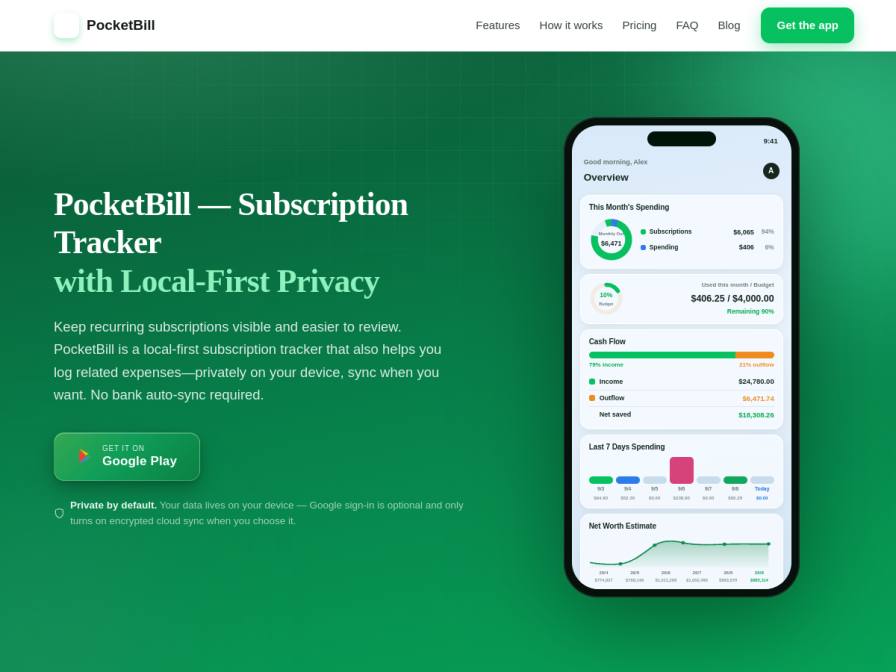
10 fictional AI personas. Exploratory perspectives, not a survey of real customers. Methodology & limitations
Simulated interest
AI synthesis, not measured demand
Suggested price range
No numeric price estimates in the answers. Ask a pricing follow-up to collect them.
Response sentiment
What this panel suggests
First impressions are strongest around PocketBill’s privacy posture: the local-first model, optional Google sign-in, and explicit lack of bank auto-sync are meaningful differentiators for respondents who do not want to connect financial accounts. That said, the main conversion risk is not the idea itself but the perceived workflow burden. People want to know how fast it is to add expenses, manage recurring bills, and categorize entries without the app feeling like a manual spreadsheet. Some also want clarity on whether importing an existing set of subscriptions is easy. Feature comprehension is mixed: subscription tracking is immediately legible, but item depreciation and some Pro capabilities feel less obviously useful or are seen as secondary. The page claims receipt OCR, cloud sync, and calendar views are Pro-only, while core tracking stays free; respondents still want that distinction made more explicit so they can tell what they get before committing. Overall, the app attracts privacy-conscious prospects, but it needs a clearer, lower-friction story for day-one usage.
Pricing & positioning
Keep the core privacy-first value extremely prominent, but make the first-use experience concrete: show exactly how a user adds an expense and a subscription without bank sync. Reduce uncertainty around setup, categorization, and importing existing recurring charges. Before signup, clearly separate free features from Pro-only features so users do not worry that basic tracking or reminders are paywalled. A lightweight demo or interactive walkthrough could help convert privacy-motivated prospects who are interested but cautious.
The current free-vs-Pro split appears understandable from the page, but respondents still need reassurance that the free version is genuinely useful and that Pro mainly adds convenience features like sync, OCR, and calendar views. Depreciation and asset tracking may feel optional or niche, so they should not be the primary monetization hook.
Recurring themes
“The "local-first privacy" aspect is appealing, as I prefer not to link my bank accounts.”Read Marcia Kris’s response →
“I'd need to see more detail on how easily I can categorize them for tax purposes or client billing.”Read Jerald Kerluke’s response →
Objections to investigate
- Unclear manual input workflow
- Fear of Pro features locking core utility
- Asset depreciation relevance
Use these findings to plan customer interviews or experiments. How to interpret AI research
What the panel said
Click a name to open that persona’s full profile.
Marcia KrisneutralThe "local-first privacy" aspect is appealing, as I prefer not to link my bank accounts. I appreciate the emphasis on not requiring bank auto-sync. However, it's not immediately clear how the manual logging of expenses, especially from Android notifications, would work seamlessly within the app. I would need to understand the process for inputting recurring bills and checking their reconciliation with my partner. If the manual expense entry is straightforward and the subscription tracking is as robust as advertised, particularly the renewal reminders, I would consider signing up for the free version to test it out.
Simulated interest: 60/100
Jerald KerlukepositiveThe core idea of PocketBill—a local-first, privacy-focused way to track subscriptions and expenses without syncing to banks—immediately grabs my attention. That's exactly the kind of tool I've been looking for to get a handle on my freelance finances without giving up control of my data. What's unclear is how robust the expense logging is for my specific needs as a freelancer. I'm used to detailed spreadsheets for client work and reimbursements. While the screenshot shows an "All-in-one money tracker" and mentions logging expenses, I'd need to see more detail on how easily I can categorize them for tax purposes or client billing. I'd sign up if I could easily import my existing expense data, or if the expense logging features are as detailed and flexible as my current spreadsheet system, all while maintaining that local-first privacy.
Simulated interest: 85/100
Akula VermaneutralThe "Local-First Subscription Tracker & Expense App" sounds interesting, especially the 'privacy by default' aspect since I manage my finances manually to keep them private. I'm a bit unclear on how the "item value & depreciation" feature works, as I don't typically track the value of my belongings beyond their purchase price. What makes me hesitate is that it's an app and I've always used my notes app. If it could easily import my existing subscription list or simplify the manual entry process significantly, and perhaps show me at a glance if my variable spending is creeping up unexpectedly, I might consider signing up for the free version.
Simulated interest: 30/100
Marcel LgneutralThe idea of a "local-first" approach is appealing, as I prefer not to have my bank accounts automatically synced. Tracking subscriptions and logging expenses manually aligns with my current Excel method. I'm curious about how the receipt scanning with OCR works – if it's as efficient as described, that could save time. What I find unclear is how the depreciation of assets is calculated and if it's truly useful for my household budget. The price of $2.99/month for Pro seems reasonable if the features, especially cloud sync and receipt scanning, are robust. However, I'd need to see more concrete examples of the asset tracking and perhaps a trial period before committing.
Simulated interest: 60/100
Alcine ColletpositiveThe "local-first" and "private by default" aspects are immediately appealing, given my concerns about data privacy with cloud services. The idea of tracking subscriptions and expenses without bank auto-sync is exactly what I'm looking for. I'm curious about how the "item value & depreciation" feature works in practice, and if the "automatic detection of forgotten recurring payments" is robust. The free tier covers unlimited expense tracking and subscription management, which is great. I'd sign up to try the free version, especially since it's available on Android, to see if it simplifies my personal bill logging.
Simulated interest: 75/100
Teresa AbshireneutralOkay, so the "local-first" and "no bank auto-sync" definitely catch my eye. That privacy angle is huge for me, as I’m super wary of linking accounts. The ability to log expenses and subscriptions separately, and especially the promise of receipt scanning with auto-fill, sounds amazing. My biggest hang-up is the "Pro" features. Does the free version let me log mileage and office supplies easily, or is that locked behind the $2.99/month paywall? If the core expense logging is free and robust enough for my realtor needs, I’d absolutely try it out. Otherwise, the subscription cost might be a barrier.
Simulated interest: 70/100
Nicholas FunkneutralRight, so this PocketBill app looks interesting. The fact that it's 'local-first' and doesn't automatically sync with my bank is a big plus for me, given I'm a bit wary of sharing my financial data. I like that it tracks subscriptions and expenses separately, and the idea of it flagging forgotten subscriptions is pretty neat. What's unclear is how easy it is to input all my current subscriptions and expenses manually, especially since I'm used to my spreadsheet. I'd probably leave if the initial setup felt too fiddly or if it didn't support GBP easily. If it's straightforward to use and helps me see where I can cut back on subscriptions, I'd definitely consider signing up for the free version to try it out.
Simulated interest: 60/100
Leon DubielneutralThe concept of a "local-first" approach to financial tracking is interesting, especially the "no bank auto-sync" aspect. This aligns with my preference for manual control over my agency's finances, which I currently manage with Excel. What's unclear is how well it handles contractor payouts and expense categorization for business purposes, beyond personal subscriptions. The "Pro" tier at $2.99/month or $19.99/year seems reasonable for features like receipt scanning, but I'd need to see if it truly simplifies my current workflow or adds another layer of manual input. I'd consider signing up if it demonstrably saves me time on expense logging and provides clearer insights into my business's cash flow without requiring bank connections.
Simulated interest: 60/100
Femke de BruijnpositiveThe "local-first" approach to privacy is appealing, especially since I manually track my bills and subscriptions already. However, I'm a bit unclear on the "Item value & depreciation" feature – how exactly does that work for things like furniture? The "Built around real moments" section sounds interesting, particularly the idea of detecting forgotten recurring payments, which I do on my phone checklist. The pricing seems reasonable for the Pro features, especially the $2.99/month option for cloud sync and receipt scanning. I'd be willing to try the free version to see if it streamlines my current system.
Simulated interest: 75/100
Hamsini DesaineutralThe "local-first privacy" aspect is very appealing, especially given my concerns about sharing sensitive company data. The idea of tracking subscriptions and expenses in one place without bank auto-sync is exactly what I need for our startup's scattered spreadsheets. However, I'm unclear about how the "receipt scanning & auto-fill (OCR)" feature works in the Pro version – does it handle Indian GST invoices effectively? Also, the pricing is in USD, and I'd need to understand the total cost in INR, considering currency conversion and potential taxes, before committing to the Pro plan. The free version seems like a good starting point to test its utility for personal expenses.
Simulated interest: 60/100
Keep exploring.
Find your next question or see which topics divide AI panels.
What would you ask next?
Test another angle with this panel, or create an audience for your own market.