
What do you use today instead of AQUAJOY (https://aquajoy.app/) (a competitor, a spreadsheet, doing it by hand)? Compared with that, what would make AQUAJOY better or worse for you, and what would keep you on your current option? Also say the maximum you would pay per month in USD (0 if nothing).
Page reviewed
AquaJoy — Water Tracker & Hydration App for iPhone
https://aquajoy.app/ (opens in a new tab)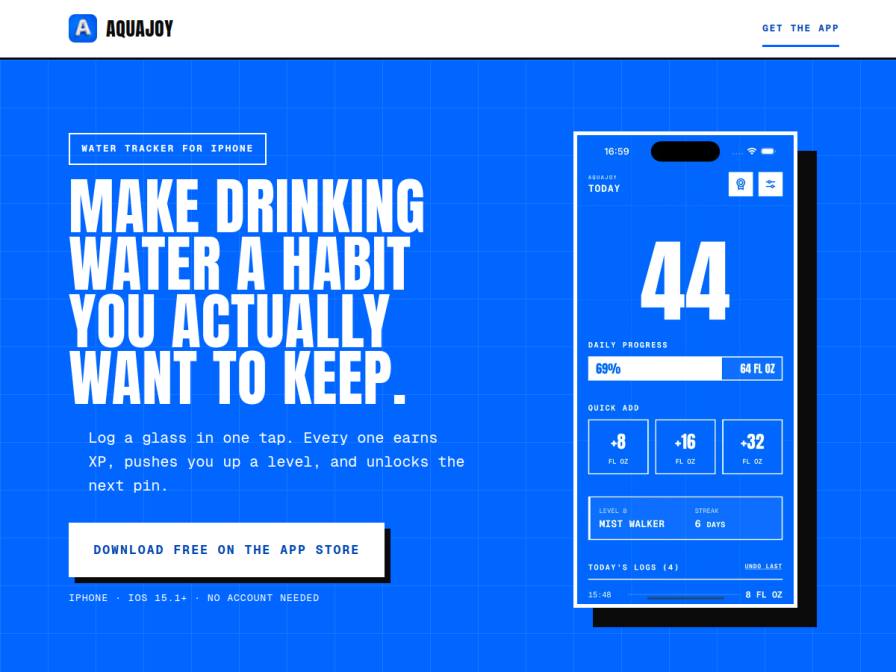
10 fictional AI personas. Exploratory perspectives, not a survey of real customers. Methodology & limitations
Simulated interest
AI synthesis, not measured demand
Suggested price range
Median $2 · simulated willingness to pay
Response sentiment
What this panel suggests
Respondents mostly compare AquaJoy with low-friction alternatives they already use today: spreadsheets, notes, basic reminders, Apple Health, or another dedicated tracker such as WaterMinder. The main appeal is not “better hydration science” but making a boring habit feel stickier. Gamification came up repeatedly as the clearest advantage: XP, levels, and collectible pins could make the app more motivating than a plain log. One-tap logging also matters because it reduces effort versus manual tracking. The biggest reasons people would stay with their current option are switching costs and ecosystem fit. Several respondents want to keep existing health data, and the page’s own positioning says Apple Health sync is Premium and that AquaJoy writes its own logs to Health rather than importing prior history, which may feel limiting to people already invested in Apple Health. The absence of an Apple Watch app is another clear downside for fitness-oriented users. Sentiment is mostly neutral, with interest concentrated among people who want a more engaging, low-effort way to track water. The pricing signal is modest: many would only pay a few dollars per month, and some would only adopt it if the free tier covers their basic needs.
Pricing & positioning
Keep the core tracker free and position paid features as optional convenience/integration upgrades. The clearest paid value seems to be for users who want better automation, Apple Health sync, custom cup sizes, or the full pin/level experience.
The observed willingness-to-pay is low, with a median of $2/month and a high of $5/month, so pricing should probably stay in a low-friction range.A free tier is important because several respondents compare AquaJoy to spreadsheets, notes, or built-in reminders.Premium should feel like a quality-of-life upgrade, not a paywall for basic tracking.
Recurring themes
“AQUAJOY sounds neat with the XP and pins; that gamified aspect could be more motivating than just a plain old spreadsheet.”Read Shirley Connelly’s response →
“The one-tap logging is also super convenient.”Read Shirley Connelly’s response →
“I'd also need to understand how it integrates with my existing data.”Read Shashi Singh’s response →
“The biggest drawback is the lack of Apple Watch support, which is a key part of my fitness tracking.”Read Triloki Nath Tandon’s response →
Objections to investigate
- Premium features gating (Apple Health sync)
- Inability to import existing health data
- Missing Apple Watch integration
- Unclear pricing structure
Use these findings to plan customer interviews or experiments. How to interpret AI research
What the panel said
Click a name to open that persona’s full profile.
Shirley ConnellypositiveRight now, I use Apple Health and iPhone reminders to track my water intake, and I log participation for our company wellness challenges in a shared spreadsheet. AQUAJOY sounds neat with the XP and pins; that gamified aspect could be more motivating than just a plain old spreadsheet. The one-tap logging is also super convenient. What would make it better than my current system is if it offered more robust reporting for the challenges I run, beyond just personal tracking. What would make it worse is if it felt like too much effort to integrate with what I already use, or if the premium features weren't clear. I'd be willing to pay up to $3 per month for a tool that genuinely streamlines my personal hydration tracking and potentially helps with challenge management.
Simulated interest: 75/100
Darin HettingerneutralCurrently, I use WaterMinder on my iPhone for personal tracking, and for our team's hydration challenge, we're stuck with a shared Google Sheet and Slack reminders. This new app, AquaJoy, sounds interesting because it offers one-tap logging and gamification with XP and pins, which could make tracking less of a chore for the team. The big question is how well it integrates with our existing workflows, or if it just adds another tool to juggle. I also need to understand the exact cost; you mention a premium option unlocks more features, but the pricing structure isn't clear. For the team challenge, I'd consider paying up to $5 per month, but only if it demonstrably saves me administrative time and increases team engagement without adding complexity.
Simulated interest: 40/100
Shashi SinghneutralI currently use WaterMinder and Apple Health to track my water intake. What makes AQUAJOY potentially better is the gamified aspect with XP, levels, and collectible pins; it sounds more engaging than just logging. However, the fact that Apple Health sync is only for premium and it writes its own logs, not importing existing data, is a downside for me. I'd also need to understand how it integrates with my existing data. Regarding payment, I'd be willing to pay up to $2 per month for a premium version with these features. I'm not comfortable paying more than that given my current setup and other subscriptions.
Simulated interest: 30/100
Sidney SchleyneutralCurrently, I jot down patient fluid intake notes in my iPhone's Notes app. For my personal hydration, I use Apple Watch reminders and often just keep track informally with colleagues on the ward. AQUAJOY's one-tap logging and the XP/level system sound interesting for building habits. However, I'm not sure how well it would integrate with my patient charting workflow. I'd need to see if it's truly simpler than my current method of just typing a quick note. I wouldn't pay for a water tracking app, as my current methods are sufficient for my needs.
Aurélienne RenardneutralCurrently, I log my water intake using a general habit tracking app and sync it with Apple Health. It serves my basic needs well. AQUAJOY's gamified approach with XP and collectible pins sounds interesting, but I'm not sure how much value that adds for me beyond what I already track. The one-tap logging is appealing, as it's similar to my current method. However, I don't see a strong reason to switch unless it offered more advanced insights or integrations that my current setup lacks. The premium features like Apple Health sync seem redundant if my current app already does that. I would not pay for a subscription; $0 per month.
Abel van DoornneutralCurrently, I use my Fitbit app summaries and iPhone reminders to keep track of my water intake, especially when I'm traveling for work. I also share a simple template with my team. AQUAJOY's one-tap logging and the collectible pins sound interesting as a way to make it more engaging, which could be better than just setting reminders. However, I'm not sure if the gamified aspect is necessary for me; my main goal is just consistent tracking. I would be willing to pay up to $2 per month if it seamlessly integrates with my current routine and proves to be more effective than my current methods.
Simulated interest: 40/100
Santiago KozeynegativeRight now, I just jot down notes by hand on my clipboard for everything, especially material deliveries. If I had to use something like AQUAJOY, well, it says it's a water tracker. I don't really see how that helps me track concrete or rebar. It sounds like a game for personal use, and frankly, I'm focused on keeping this project on schedule. My crew and I need tools for the jobsite, not for tracking how much water we're drinking. I ain't got time for that kind of distraction. It would need to do somethin' useful for work, not just for me personally. I wouldn't pay a dime for somethin' like this.
Simulated interest: 0/100
Krista MayerneutralCurrently, I don't use anything specific for water tracking. I try to remember to drink enough, but it definitely fluctuates, especially when I'm busy with work or have social plans. The gamified aspect of AQUAJOY with XP and collectible pins sounds appealing because it might help me stay consistent. It would be better than my current manual approach because it's integrated into an app, so it's always with me. What would keep me on my current option is if the app felt clunky or if there were too many notifications. I'd be willing to pay up to $2 per month for a premium version that offered more customization or sync features, if it proved genuinely useful.
Simulated interest: 40/100
Triloki Nath TandonneutralCurrently, I use WaterMinder alongside Apple Health. AQUAJOY's gamified approach with XP and pins is interesting, but my current setup is already integrated and functional. The one-tap logging is a good feature, but I'm not sure if the collectible aspect is compelling enough to switch. The biggest drawback is the lack of Apple Watch support, which is a key part of my fitness tracking. If it had that and perhaps a way to integrate with my team's existing tracking without extensive manual input, it might be worth considering. Otherwise, I'll stick with what I have. I would not pay for this app, so the maximum I would pay is $0.
Simulated interest: 20/100
Marta Covarrubias BahenaneutralCurrently, I log my water intake in my iPhone Reminders and Notes. It's a simple, free method that fits into my routine. For AQUAJOY, the gamified aspect with XP and collectible pins might make it more engaging than just simple notes. However, I'm concerned about whether it would be too distracting. The fact that it's free to start is appealing, but I'm not sure I'd pay for premium features. I would consider paying up to $2 per month if it significantly improved my habit, but I'm not willing to pay more than that.
Simulated interest: 30/100
Keep exploring.
Find your next question or see which topics divide AI panels.
What would you ask next?
Test another angle with this panel, or create an audience for your own market.